Overview
Welcome to our Interactive Network Visualization tool!
Getting Started
Welcome to the Getting Started Guide for Interactive Network Visualization tool! Here you will find all the necessary steps to get started with our platform.
Logging In
Log in with your credentials by following these steps:
- Go to the TDP website.
- Enter your username and password.
- Click the
Sign inbutton.
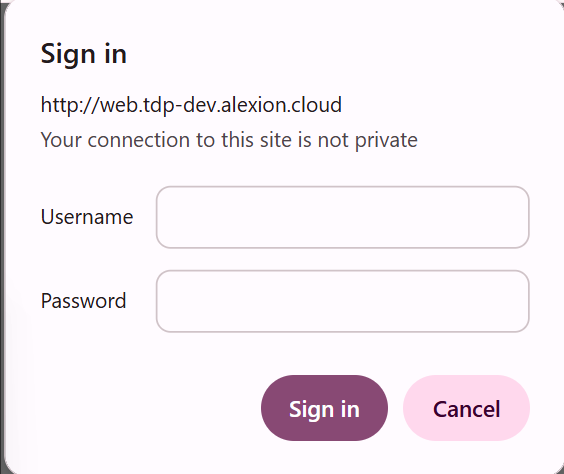 Login page
Navigating the Dashboard
After logging in, you will be taken to the dashboard. Here’s a quick overview:
- By protein name: Enter gene names or Ensembl IDs to generate the network. You can find detailed explanation on the page of Dashboard - By protein name.
 Search by Multiple Proteins
- Upload a file: Upload a network file to generate the network. You can find detailed explanation on the page of Dashboard - Upload a file.
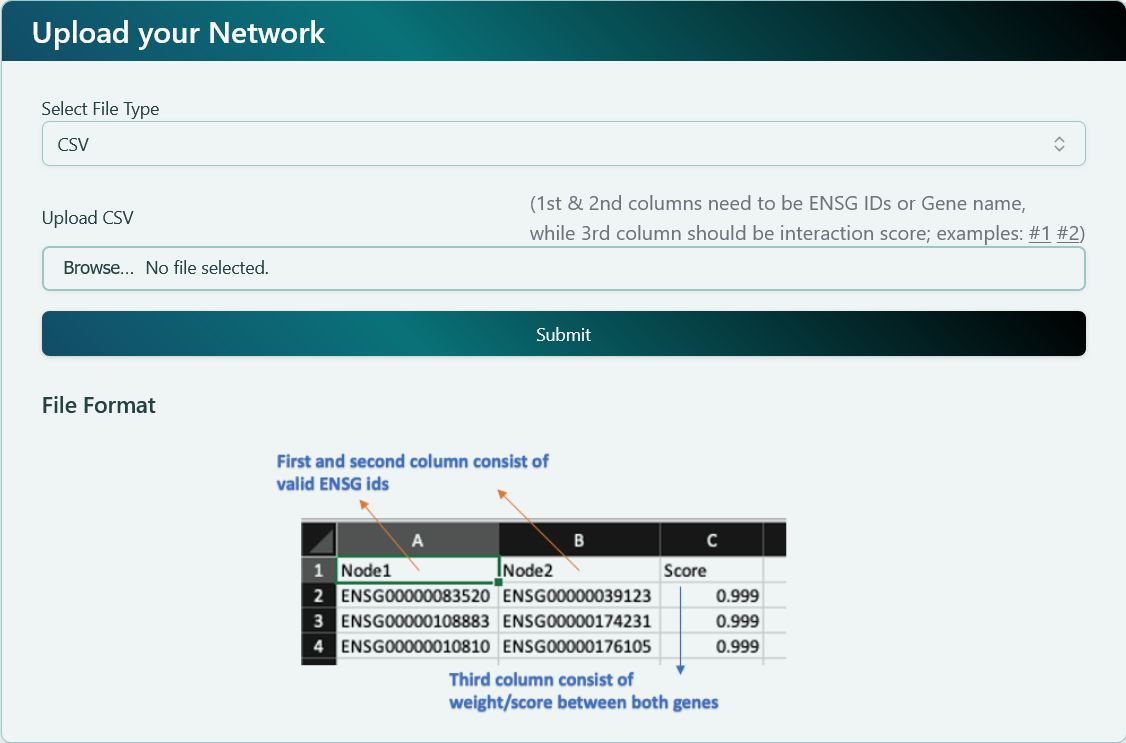 Custom network file upload
Rendering the Network Visualization
Once deciding the network, our platform will render the network based on your selections. Here is what you can expect on network visualization page:
- Left Panel: Provides basic functions to analyze the network. You can find detailed explanation on the page of Network Visualization - Left panel.
- Right Panel: Provides advanced functions and modifies the network settings. You can find detailed explanation on the page of Network Visualization - Right panel.
- Network Visualization Board: A canvas to render the network visualization. You can find detailed explanation on the page of Network Visualization - Right panel.
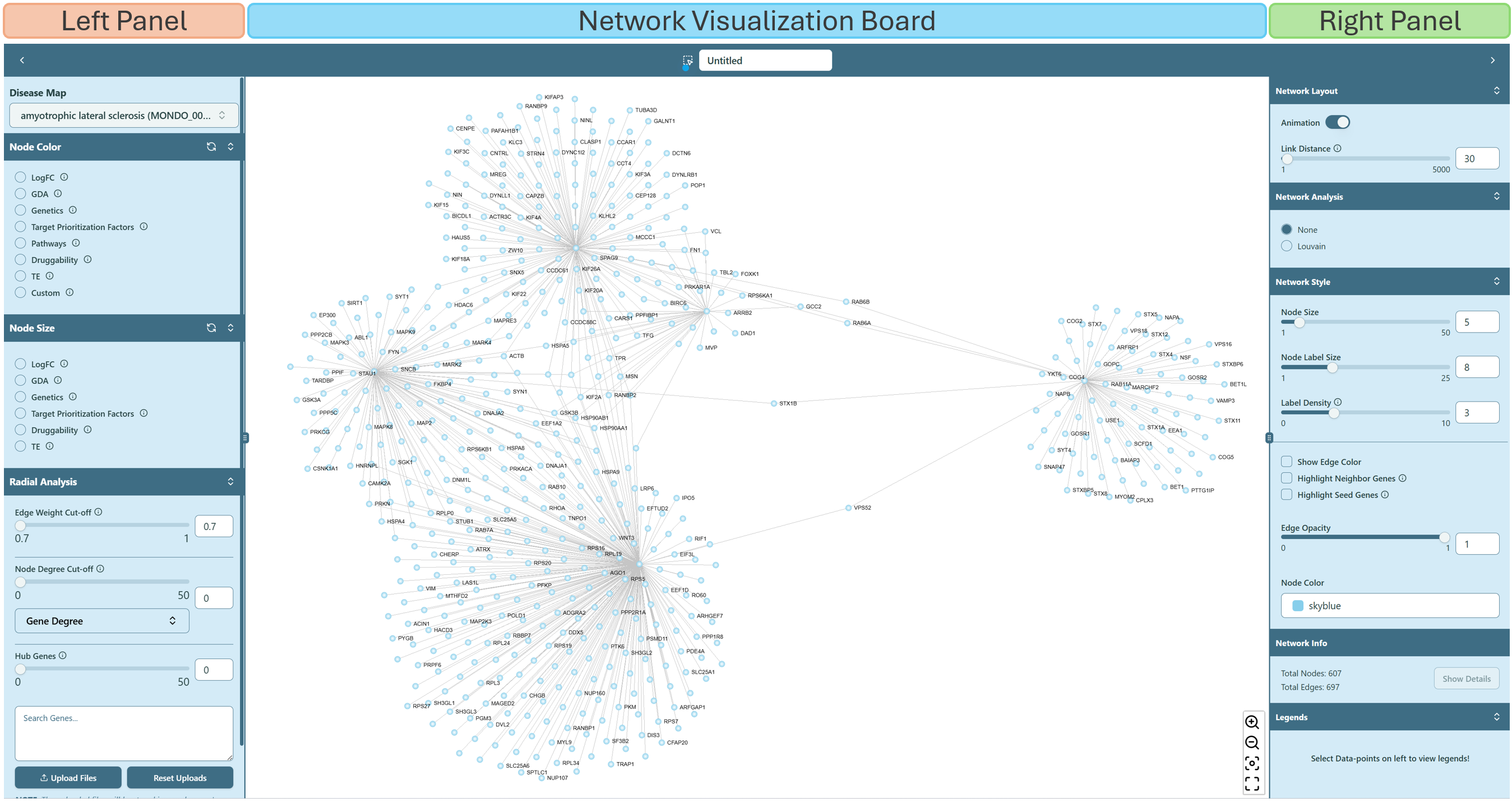 Network visualization page
Common Issues
If you encounter any issues, check our FAQ page. You can also check Use Cases for a quick hands-on.